OctoTools Run Time Engine
OctoTools RTE (Run Time Engine) is the heart of OctoTools and incorporates the functionality of JBM's reliable PDF generating software, OctoPDF™ and the report bursting functionality of OctoBurst™.  A new easy to use GUI (Graphical Users Interface) has been developed for easy installation and supporting visual access to data and variables. The run time engine has the capability of generating PDFs and assigning variables for automatic email and web access addresses. Document management capabilities include, web path addressing, assigning input and output locations, and report bursting (drill down). A new easy to use GUI (Graphical Users Interface) has been developed for easy installation and supporting visual access to data and variables. The run time engine has the capability of generating PDFs and assigning variables for automatic email and web access addresses. Document management capabilities include, web path addressing, assigning input and output locations, and report bursting (drill down).
In addition, Windows print drivers are used to print to any PostScript™, PCL printer, digital copier or production class printer including Xerox Docutech™ and Docuprint™. The run time engine interfaces seamlessly with OctoTools forms builder, OctoDesigner™.
PDF Creation
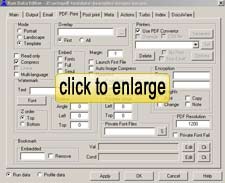 OctoTools RTE automatically generates the highest quality Adobe Acrobat compatible PDF files. Both straight conversions and output from the merged documents via the Designer generate PDF documents with searchable text, bookmarks, 128-bit encryption, watermarks, and read-only options. User rights for printing, copying, and changing the document are defined within the RTE for complete control of the output. Encryption passwords can be tied to specific users and customers. PDF generation is optimized for increased throughput for both text and images and supports fast web view. OctoTools RTE automatically generates the highest quality Adobe Acrobat compatible PDF files. Both straight conversions and output from the merged documents via the Designer generate PDF documents with searchable text, bookmarks, 128-bit encryption, watermarks, and read-only options. User rights for printing, copying, and changing the document are defined within the RTE for complete control of the output. Encryption passwords can be tied to specific users and customers. PDF generation is optimized for increased throughput for both text and images and supports fast web view.
Bursting
OctoTools RTE supports report bursting, the process of breaking a larger document into smaller sub-documents. For example, you can take a large general ledger report and burst it by division, department and date. Another common use is to burst and file an invoice report by account number, invoice number and date (see case study 17). Using the drag and drop feature, bursting criteria is user specified by highlighting an area of text to be used as bursting variables. Users can also manually enter line, column and length information to define a variable. There is no limit to the number of burst variables. These variables can also be used by the Output Management for data path, email and web addressing.
Print output
In addition to the flexibility of created PDF documents, Windows print drivers are supported enabling printing to almost any PCL or Postscript printer, digital copier or production class printer (Xerox Docutech, Docuprint).
Email & Web Address Management
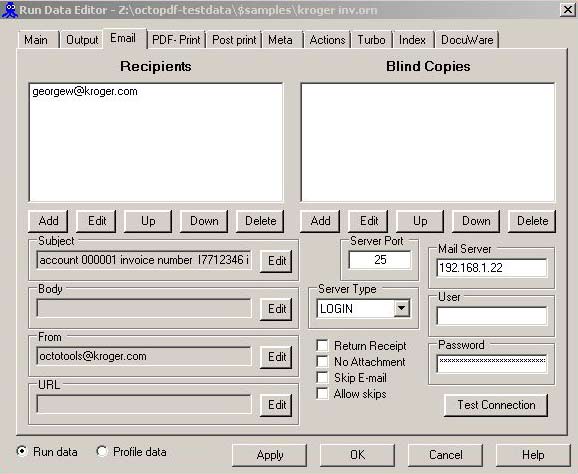
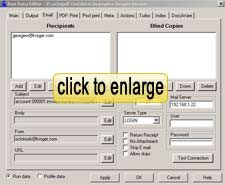 Email addresses, URLs and data locations can be automatically and dynamically assigned via variables defined within your data and by information specified within the run control window. You can select address and data path information by using the drag and drop functionality, define it by entering row/column/length, or specify a file where the information is located. Blind copies, CC, and return receipts are supported as well as tracked. Utilizing the URL feature reports need not clog up the email and archiving system and only the URL will be sent.
Output Management
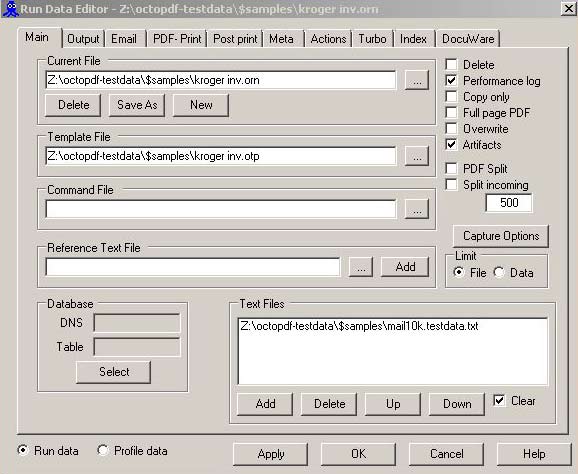
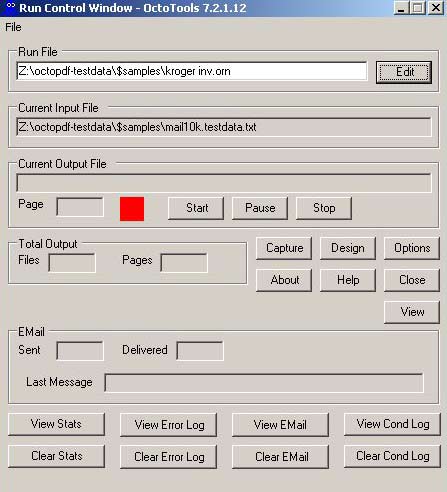
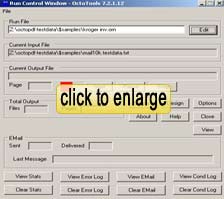 A run control window is used to assign and keep track of the appropriate input text and image locations as well as track total output including email. A Graphical Users Interface is used throughout the process to setup, define, and manage each job. Output file names can be generated automatically and include date, time, user defined constants, and report variables. A run control window allows you to set the maximum page output and track line counts (lines/page). Command line functionality is also supported to allow jobs to be started by a scheduler or whenever data is received from an LPD such as RPM Remote Print Manager®. A run control window is used to assign and keep track of the appropriate input text and image locations as well as track total output including email. A Graphical Users Interface is used throughout the process to setup, define, and manage each job. Output file names can be generated automatically and include date, time, user defined constants, and report variables. A run control window allows you to set the maximum page output and track line counts (lines/page). Command line functionality is also supported to allow jobs to be started by a scheduler or whenever data is received from an LPD such as RPM Remote Print Manager®.
Input flexibility
OctoTools can receive report and text output from remote sources simultaneous by utilizing RPM Remote Print Manager® from Brooks Internet Software. OctoTools with RPM provides a universal gateway to receive input from just about any computer platform or environment including; Windows, Linux, UNIX, AIX, Open VMS, AS/400, S/390 Mainframes, HP-3000, e-servers, and PC’S. OctoTools runs on Windows XP/2003/2000/NT servers and workstations.
RPM Remote Print Manager is a registered trademark of Brooks Internet Software, Inc. PDF is a registered trademark of Adobe Corporation
|